
SleepSync™ Programming System
The SleepSync™ Programmer Application (2740S) is downloaded software that is installed on a customer-owned Windows-based laptop, tablet or desktop PC.
The programmer cable interacts with the patient’s implant and connects securely to the programmer software application via Bluetooth®.
Watch the SleepSync™ Programming System Overview Video (1:49)
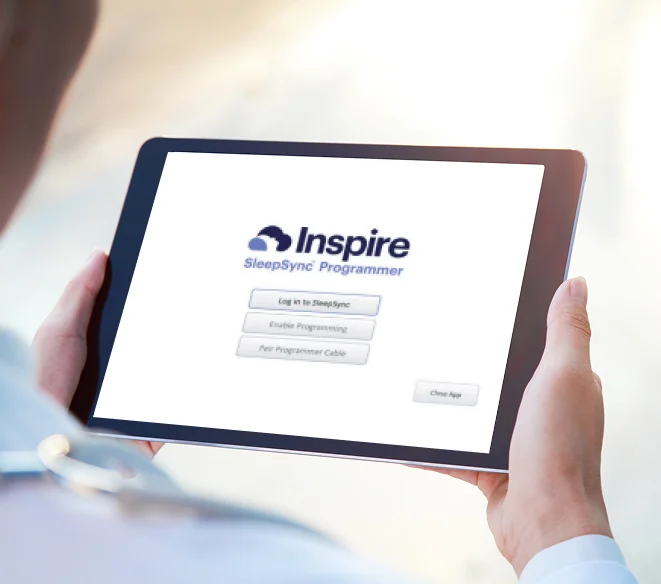
SleepSync™ IT Guide
Information and instructions for software installation can be found in the IT guide. If you require a Risk Assessment to be completed prior to installing the application, send requests to [email protected].
Setup And Installation Video
Review the process to install and set up the software on your Windows-based device. (2:22)
Minimum System Requirements
NOTE: The Inspire SleepSync™ Programmer 2740S software requires Microsoft BitLocker Encryption to be enabled on the destination hard drive prior to installation, as noted within the 2740S IT guide requirements. This step should be performed by the IT administrators of the target device. Reference Device Encryption in Windows - Microsoft Support for additional details.
For those users looking to purchase a device and wanting an optimal user experience, a Surface Go 2 Tablet or newer is recommended.
Ensure your device meets the minimum system requirements
Windows 10 Pro, release 2004 or newer
Bluetooth® 4.0 or later
1 GHz (or faster) processor
1 GB RAM for 32-bit OS, or 2 GB RAM for 64-bit OS
TPM 2.0 (Trusted Platform Module)
BitLocker encryption enabled to maintain the privacy of protected health information (PHI)
SleepSync™ Programmer Resources
Cable Pairing Video
Review the steps to pair a programmer cable to a new device running the programmer software. (2:41)
Uploading Programming Session Records
Review steps to upload session records to SleepSync using the SleepSync™ Programming System. (2:15)
Troubleshooting Information
Please reference the SleepSync™ Programming System manuals for additional troubleshooting information.
If you have additional questions, please contact Patient & Physician Services at 844-672-6720, or email [email protected]
SleepSync™ Programmer Application Download
Use the link below to log in to access.inspiresleep.net to download the SleepSync Programmer application (model 2740S). Contact your Inspire representative with questions.
For download and setup instructions, please review the Inspire SleepSync Programmer Manuals
Inspire is not for everyone. Talk to your doctor (or Talk to your patients) about risks, benefits and expectations associated with Inspire. Risks associated with the surgical implant procedure may include infection and temporary tongue weakness. In rare cases tongue paresis and atrophy may occur. Some patients may require post implant adjustments to the system’s settings in order to improve effectiveness and ease any initial discomfort they may experience. Important safety information and product manuals can be found at inspiresleep.com/safety-information, or call 1-844-OSA-HELP.